[vc_row][vc_column][vc_column_text]
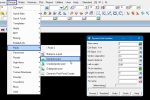
This option is used to move the Model Order around on a view in the project.
Continue down the page to see the Model Order options.[/vc_column_text][/vc_column][/vc_row][vc_row][vc_column][vc_separator border_width=”5″][/vc_column][/vc_row][vc_row][vc_column][vc_column_text]To view the Model Order option, Use: Plan View Menu => Models => Model Order
[/vc_column_text][/vc_column][/vc_row][vc_row][vc_column][vc_single_image image=”7727″ img_size=”full”][/vc_column][/vc_row][vc_row][vc_column][vc_column_text]
Definition
The Model Order panel is found on all the views available in 12 Model, all:
- Plan,
- Section and
- Perspective Views.
This Model Order panel displays the list of all the models on a view. The models are displayed in reverse order to how they have been added to the view.
The Model at the top of the list has been added and drawn last on the view, and it is the most visible model.[/vc_column_text][/vc_column][/vc_row][vc_row][vc_column][vc_separator border_width=”5″][/vc_column][/vc_row][vc_row][vc_column][vc_column_text]Below the image displays the model order panel for the plan view shown, and at the top of the list is the last added model to the view, it is the ‘rasters’ model.
The ‘rasters’ model is the only model that can be seen at the moment, as it is covering the other models on the view, as shown below.[/vc_column_text][/vc_column][/vc_row][vc_row][vc_column][vc_single_image image=”7729″ img_size=”full”][/vc_column][/vc_row][vc_row][vc_column][vc_column_text]Below the ‘raster’ model has been moved to the bottom of the model order list as shown.
Now the other models are visible, as they are sitting on top of the raster model.[/vc_column_text][/vc_column][/vc_row][vc_row][vc_column][vc_single_image image=”7730″ img_size=”full”][/vc_column][/vc_row][vc_row][vc_column][vc_separator border_width=”5″][/vc_column][/vc_row][vc_row][vc_column][vc_column_text]The model order can also be changed in the View Properties panel.
If you would like to learn more about the View Properties Panel and how to utilise it,
Visit this post: Plan View Properties
[/vc_column_text][/vc_column][/vc_row][vc_row][vc_column][vc_separator border_width=”5″][/vc_column][/vc_row]