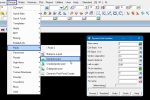
[vc_row][vc_column][vc_column_text] This option is used to move the Model Order around on a view in the project. Continue down the page to see the Model Order options.[/vc_column_text][/vc_column][/vc_row][vc_row][vc_column][vc_separator border_width=”5″][/vc_column][/vc_row][vc_row][vc_column][vc_column_text]To view the Model Order option, Use: Plan View Menu => Models => Model Order [/vc_column_text][/vc_column][/vc_row][vc_row][vc_column][vc_single_image image=”7727″ img_size=”full”][/vc_column][/vc_row][vc_row][vc_column][vc_column_text] Definition The Model Order panel is found on all the […]