[vc_row][vc_column][vc_column_text css=””]12df comes with a number of predefined prisms depending on your instrument type. 12df makes the assumption that you will match your manufactures prisms and Total Stations.
However we know this is not always the case. Leica Mini Prisms GMP111 are used quite often with a Trimble or Topcon.
12df gives us the flexibility to add our own prisms.
History: V14
In V14 and earlier versions there were 3 different files for each of the instruments Manufacturer:
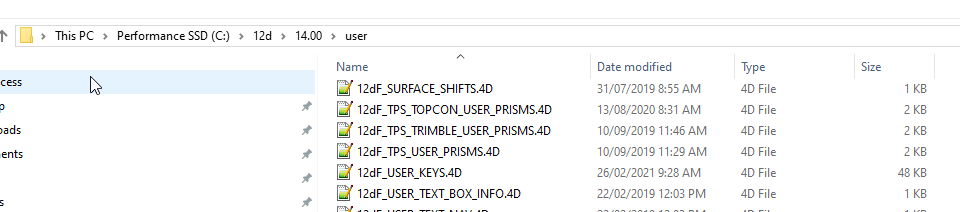
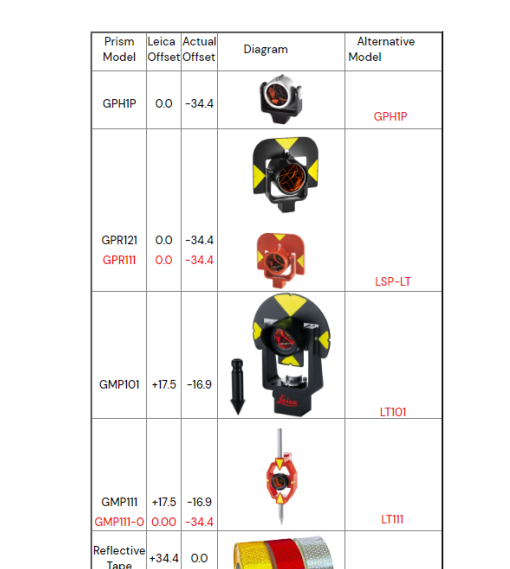
Topcon and Trimble were as their name suggests, 12df_TPS_USER_PRISMS_4d was for Leica. So why the separate files? Leica uses a different theoretical point to base its measurements from. This means a prism with a “0” constant in Leica will have an offset of -34.4 in a Trimble or Topcon. The reference manual has an image showing these difference in
15.8.2.1 12dF_TPS_INS_USER_TARGETS.4D file format:
In V15:
This has been combined to one file:
12dF_TPS_INS_USER_TARGETS.4D
This file lives in your USER folder. This is by default C:\12d\12dModel\V15\User
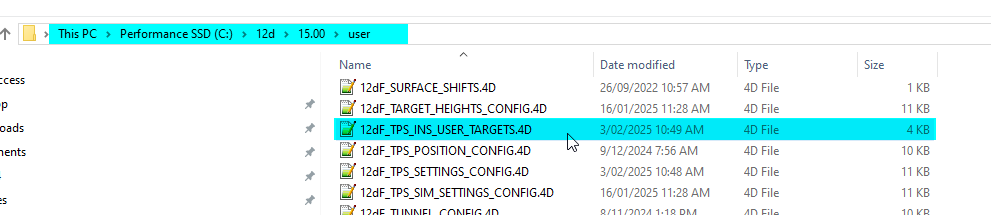 Your company may have it elsewhere, you will need to check with a senior 12d user if yours is not stored here.
Editing the file:
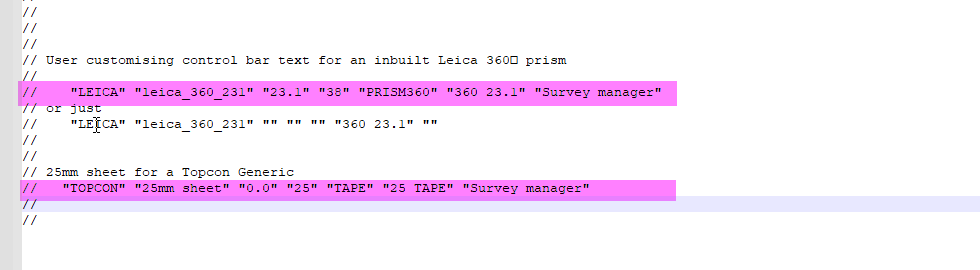
There is a general description of the format at the top of the file. Important to note there are seven fields. Each field is identified within a set of “brackets”
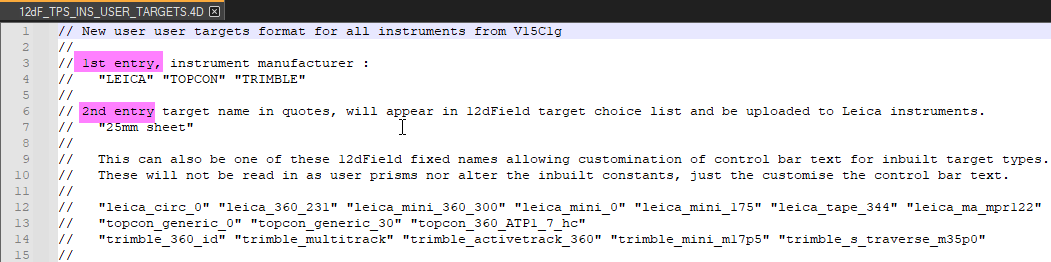
There are several examples given.
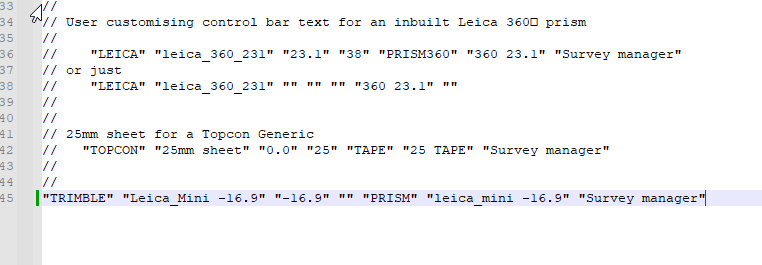
So looking at our example of adding a Leica Mini GMP111 for use with a Trimble instrument. We would add the line:
“TRIMBLE” “Leica_Mini -16.9” “-16.9” “” “PRISM” “leica_mini -16.9” “Survey manager”
And in 12df we will see:
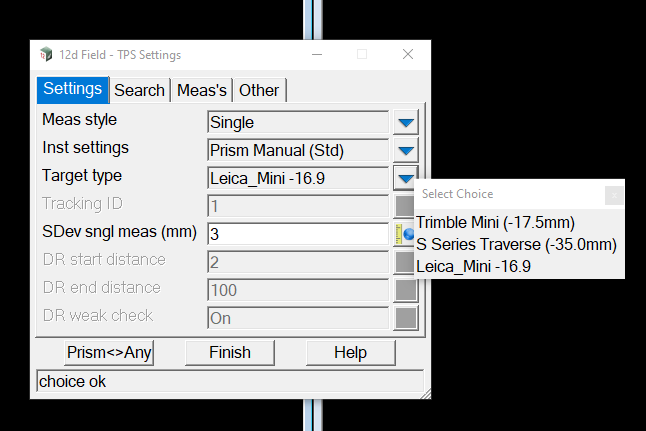
This file can also be used to edit the text that 12df displays for each instruments built in prisms.
The following line will alter the display for the standard prism listed in the above image S Series Traverse (-35.0mm)
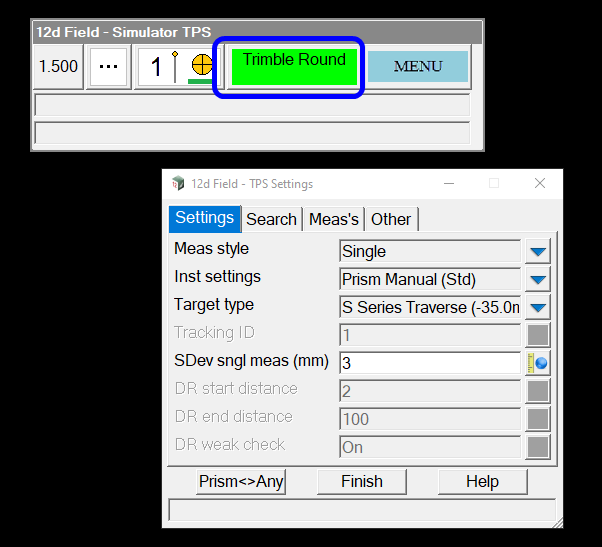
“TRIMBLE” “trimble_s_traverse_m35p0” “” “” “” “Trimble Round” “” (Line still has 7 fields, just most of them blank)
The actual prism name – in this case “trimble_s_traverse_m35p0” – is listed in the header for the 2nd field description

and the result:
[/vc_column_text][/vc_column][/vc_row]