[vc_row][vc_column][vc_column_text] This tool is used to create a Boundary string/s around a Tin, to ensure that the unacceptable triangles around the edges of the tin that have been nulled will be saved if the tin is retriangulated. The video below will show how to create a Tin Boundary string/s and save it to the Tin […]
Articles Tagged: TIN
Resetting all Nulled Triangles
[vc_row][vc_column][vc_column_text] This option is used to Reset (reinstate) all Triangles which have been nulled. Continue down the page to see the Resetting all Nulled Triangles options.[/vc_column_text][/vc_column][/vc_row][vc_row][vc_column][vc_separator border_width=”5″][/vc_column][/vc_row][vc_row][vc_column][vc_column_text]To Reset All Nulled Triangles, Use: Tins => Null => Reset[/vc_column_text][/vc_column][/vc_row][vc_row][vc_column][vc_single_image image=”2844″ img_size=”full”][/vc_column][/vc_row][vc_row][vc_column][vc_column_text]Firstly select the Tin to reset the triangles from the drop down list, in this example we […]
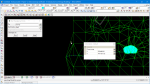
Null by Point
[vc_row][vc_column][vc_column_text] This TIN Null by Point option is used to Null (remove) or Reset (turn on) the Triangles in a triangulation. The video below will show how to use the TIN Null by Point option. Or continue down the page to see the TIN Null by Point options.[/vc_column_text][/vc_column][/vc_row][vc_row][vc_column][vc_video link=”https://www.youtube.com/watch?v=zF7J5WSBr74″][/vc_column][/vc_row][vc_row][vc_column][vc_separator border_width=”5″][/vc_column][/vc_row][vc_row][vc_column][vc_column_text]To Null Triangles by Points, Use: […]
Retriangulate TIN
[vc_row][vc_column][vc_column_text] This option is used to Retriangulate a TIN (Triangulated Irregular Network) that is already created in the project. Continue down to page to see the Retriangulate TIN options.[/vc_column_text][/vc_column][/vc_row][vc_row][vc_column][vc_separator border_width=”5″][/vc_column][/vc_row][vc_row][vc_column][vc_column_text]To edit a TIN at any time, Use: Tins => Edit => Tin[/vc_column_text][/vc_column][/vc_row][vc_row][vc_column][vc_single_image image=”13394″ img_size=”full” alignment=”center” css=””][/vc_column][/vc_row][vc_row][vc_column][vc_column_text]When a TIN has been created, it can be edited […]
Null by Polygons
[vc_row][vc_column][vc_column_text css=””] If you are used to nulling triangles by drafting a freehand rectangle on the screen, then you might be stumped by the new ‘Null Triangles by Polygon’ panel. The default pick method is the pink arrow, which will let you choose an existing polygon. But it’s a hassle to draft the rectangle first, […]