[vc_row][vc_column][vc_column_text]
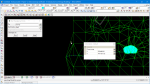
This TIN Null by Point option is used to Null (remove) or Reset (turn on) the Triangles in a triangulation.
The video below will show how to use the TIN Null by Point option.
Or continue down the page to see the TIN Null by Point options.[/vc_column_text][/vc_column][/vc_row][vc_row][vc_column][vc_video link=”https://www.youtube.com/watch?v=zF7J5WSBr74″][/vc_column][/vc_row][vc_row][vc_column][vc_separator border_width=”5″][/vc_column][/vc_row][vc_row][vc_column][vc_column_text]To Null Triangles by Points, Use: Tins => Null => by Points[/vc_column_text][/vc_column][/vc_row][vc_row][vc_column][vc_single_image image=”2796″ img_size=”full”][/vc_column][/vc_row][vc_row][vc_column][vc_column_text]Pick the ‘survey tin’ from the drop down menu, and hit the <Pick> button to select a cursor location inside a triangle to null. Then accept the cursor location.[/vc_column_text][/vc_column][/vc_row][vc_row][vc_column][vc_single_image image=”2797″ img_size=”full”][/vc_column][/vc_row][vc_row][vc_column][vc_column_text]The triangle has been nulled, and now a second triangle can be nulled. Use the pick and accept on the cursor location inside a triangle.
When 12d Model Nulls the Triangles they are not deleted, they are merely turned off. The Nulling can be continued until all the triangles have been nulled as required.[/vc_column_text][/vc_column][/vc_row][vc_row][vc_column][vc_single_image image=”2798″ img_size=”full”][/vc_column][/vc_row][vc_row][vc_column][vc_column_text]To reset nulled triangles change the Null mode to ‘Reset’.
Then pick and accept on a cursor location inside the nulled triangle.[/vc_column_text][/vc_column][/vc_row][vc_row][vc_column][vc_single_image image=”2803″ img_size=”full”][/vc_column][/vc_row][vc_row][vc_column][vc_column_text]Pick and accept on a cursor snap inside where the nulled triangle would be to reset the triangle.[/vc_column_text][/vc_column][/vc_row][vc_row][vc_column][vc_single_image image=”2800″ img_size=”full”][/vc_column][/vc_row][vc_row][vc_column][vc_column_text]The nulled triangle has been reset and added back into the tin.
The triangles that are nulled or reset with this tin, will not have their information retained by the tin. If the tin is retriangulated after the nulling, the nulling process will be lost.
Note: Triangles can only be nulled or reset one at a time with this option.[/vc_column_text][/vc_column][/vc_row][vc_row][vc_column][vc_single_image image=”2801″ img_size=”full”][/vc_column][/vc_row][vc_row][vc_column][vc_separator border_width=”5″][/vc_column][/vc_row][vc_row][vc_column][vc_column_text]
An option that will allow the triangles that have been nulled by points to be remembered by the TIN, is to create a boundary around the outside of the TIN.
If you would like to learn more about the TIN Boundary option and how to utilise it,
Visit this post: TIN Boundary
[/vc_column_text][/vc_column][/vc_row][vc_row][vc_column][vc_separator border_width=”5″][/vc_column][/vc_row]